AI Agent Remote docs · Use it
Web remote
The web remote is the app in a browser, served by the bridge itself. It shows the same agents, terminals, history and changes as your phone, and uses the same protections: each browser is a paired device with read or control access, and typing needs control of the pane.
Open it
On the computer running the bridge, choose Open web remote in the console, or ask for a one-time link:
agent-remote webOn this computer the browser signs in through the console, without a password. Nothing is loaded from the internet: the page, its terminal (xterm.js) and the agents’ logos come from the bridge.
What you can do
| Part | What it does |
|---|---|
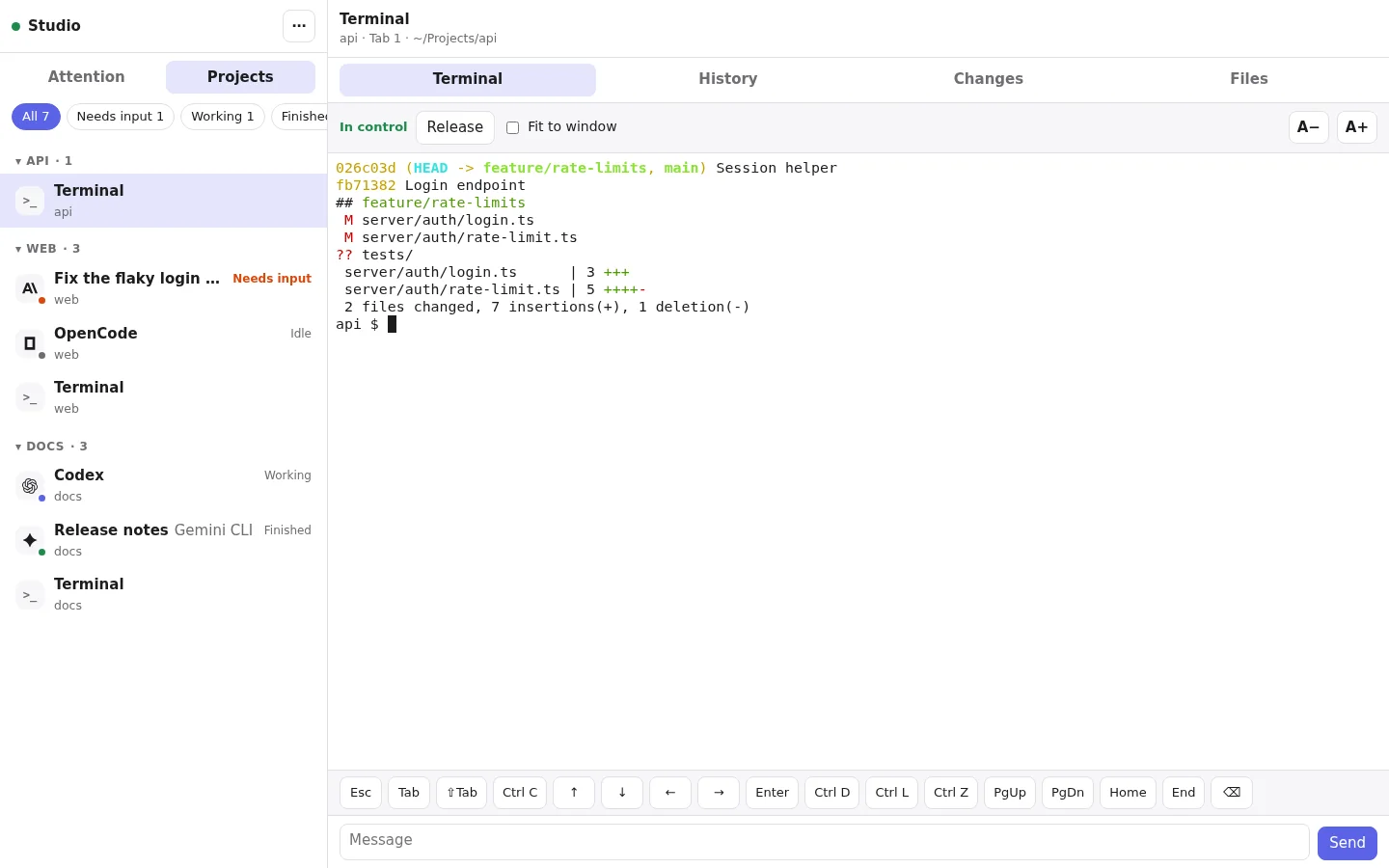
| Attention and Projects | Agents that need input or finished, recent panes, and every workspace, tab and pane. Each agent shows its maker’s logo and its pane label if it has one; filter by state. |
| Terminal | The pane’s live screen. Take control to type: straight into the terminal, with the special keys (Esc, Tab, Ctrl C, arrows, Page Up and more), or in the message box, which sends a whole prompt followed by Enter (Enter sends and Shift-Enter adds a line; on a phone, Enter adds a line). Fit to window resizes the pane to the browser while you control it. |
| History | The agent’s conversation for Claude Code, Codex, Pi and Qwen Code, with earlier messages, tool calls and find; terminal output for other programs. |
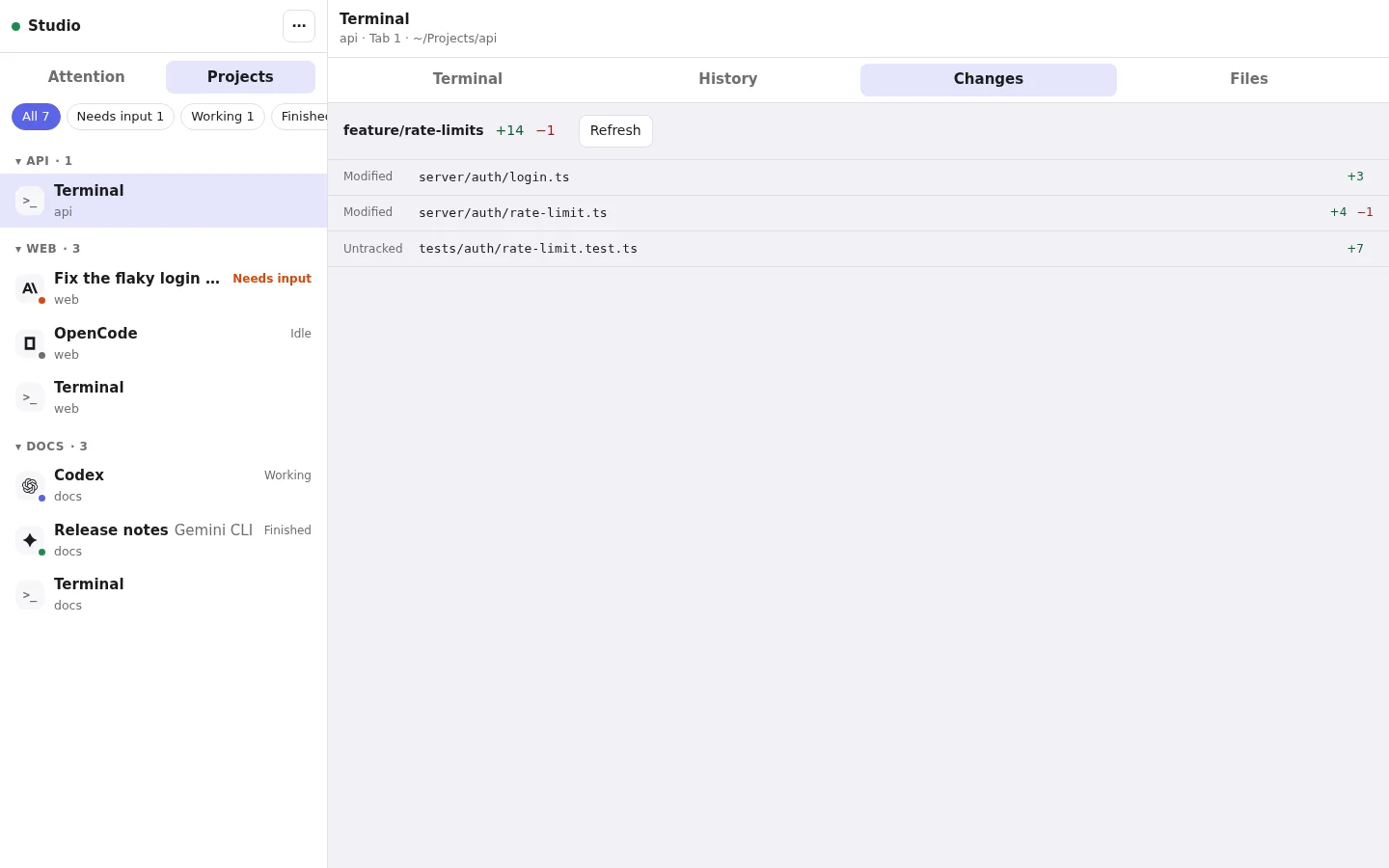
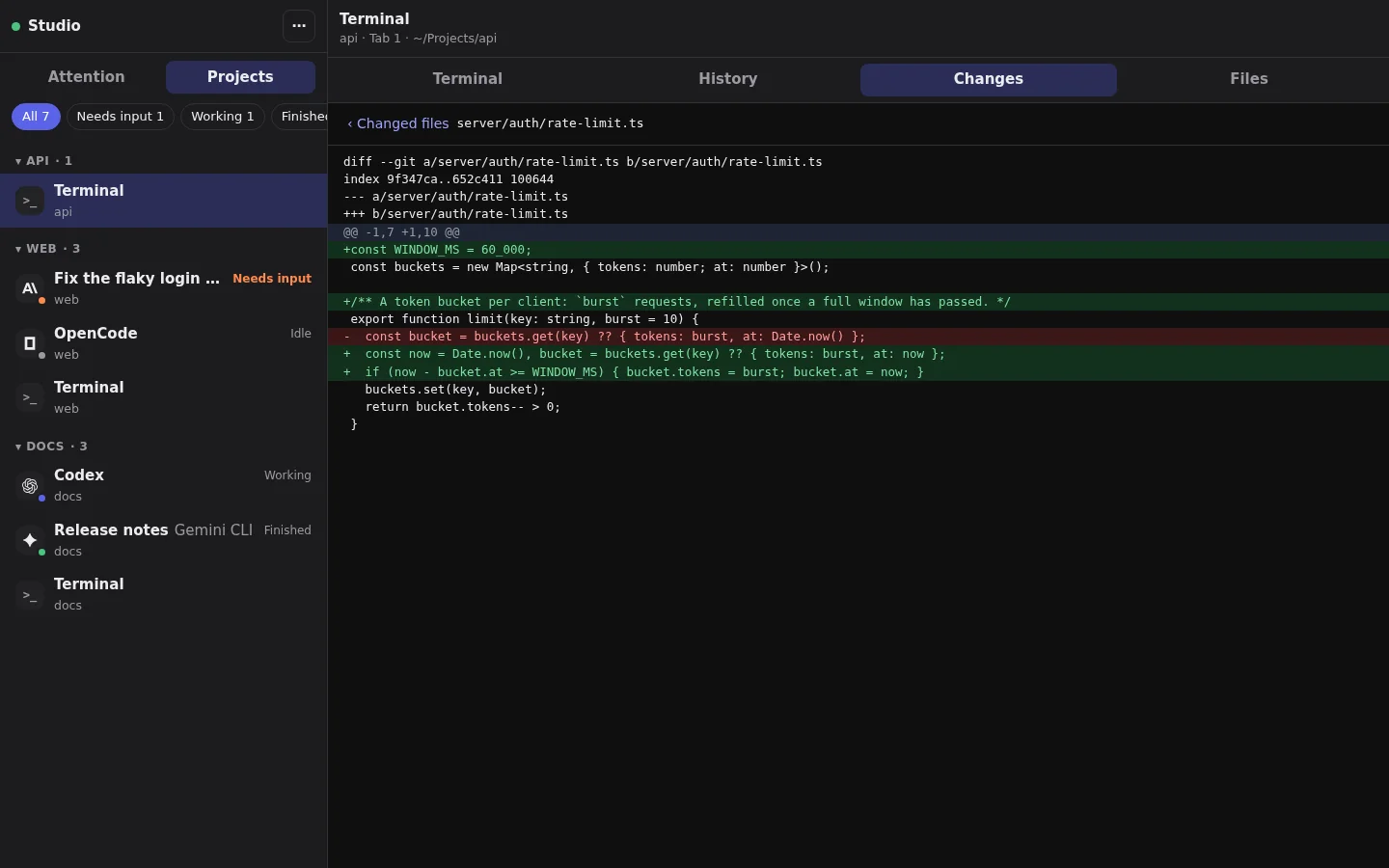
| Changes and Files | The branch, changed files and each file’s diff, and the project’s files. |
- Attention and ProjectsAgents that need input or finished, recent panes, and every workspace, tab and pane. Each agent shows its maker’s logo and its pane label if it has one; filter by state.
- TerminalThe pane’s live screen. Take control to type: straight into the terminal, with the special keys (Esc, Tab, Ctrl C, arrows, Page Up and more), or in the message box, which sends a whole prompt followed by Enter (Enter sends and Shift-Enter adds a line; on a phone, Enter adds a line). Fit to window resizes the pane to the browser while you control it.
- HistoryThe agent’s conversation for Claude Code, Codex, Pi and Qwen Code, with earlier messages, tool calls and find; terminal output for other programs.
- Changes and FilesThe branch, changed files and each file’s diff, and the project’s files.
A pane opens watching; Take control lets you type. One device controls a pane at a time: if a phone holds it, Take over asks first. Leaving the tab hidden for 20 seconds releases control, and a read-only browser can only watch.
On your network
To use it from another computer or a tablet on your network, set a password, then turn on Serve the web remote on the network under Web remote in the console. It applies at once.
agent-remote web passwordIt is served over HTTPS with the bridge’s own certificate on port 8791 (change it in the console, or with "webPort" in the config), at the addresses the console lists. Choose whether browsers signed in there can control panes or only read.
Wrong passwords are slowed down, and 20 failures turn network sign-in off until the bridge restarts. The console’s settings, pairing and devices are never served on the network.
Browsers are devices
Each browser that signs in is listed under Devices in the console and in agent-remote devices, as “Web browser” with its browser and where it signed in. Revoke it there to sign it out at once; signing out in the browser does the same. See Security for how sessions are protected.
For AI tools: this page as Markdown, the page index and all pages in one file.
